
Getting Started
What is Imperator?
Imperator is an integrated web-based framework that combines functionality across established pipelines, including scSemiProfiler, Seurat, scType and Capybara, to infer single-cell transcriptomic structure and cellular identities from bulk RNA sequencing data.
This platform provides a resource for exploring inferred and reconstructed single-cell profiles and cellular heterogeneity from bulk measurements, particularly within resource-limited settings where access to single-cell technologies remains restricted.
What data does it accept?
Imperator currently accepts bulk RNA-seq counts matrices in either TSV or CSV format. Each counts matrix can currently contain only a single sample. If you want to analyse multiple samples, each sample must therefore be submitted individually. This is something we hope to improve in future versions of Imperator.
Please note that the genes must use HGNC-approved gene symbols.
The single-cell reference datasets required by Imperator are automatically included in the platform. You do not need to provide your own reference dataset.
What can you do with Imperator?
Upload
Submit a bulk RNA-seq expression matrix.
Predict
Reconstruct a single-cell transcriptomic profile.
Characterise
Analyse and classify the reconstructed cells.
How does it work?
We will go through everything you need to know in the following sections. In the meantime, the simplified workflow below provides an overview of how a process moves through Imperator.
Input
Reconstruction
Characterisation
Account & Sign In
Creating an Account
Imperator requires users to have an account in order to run an analysis. Each job is associated with a unique job number and a specific user number, helping to ensure that your jobs cannot be accessed by other users.
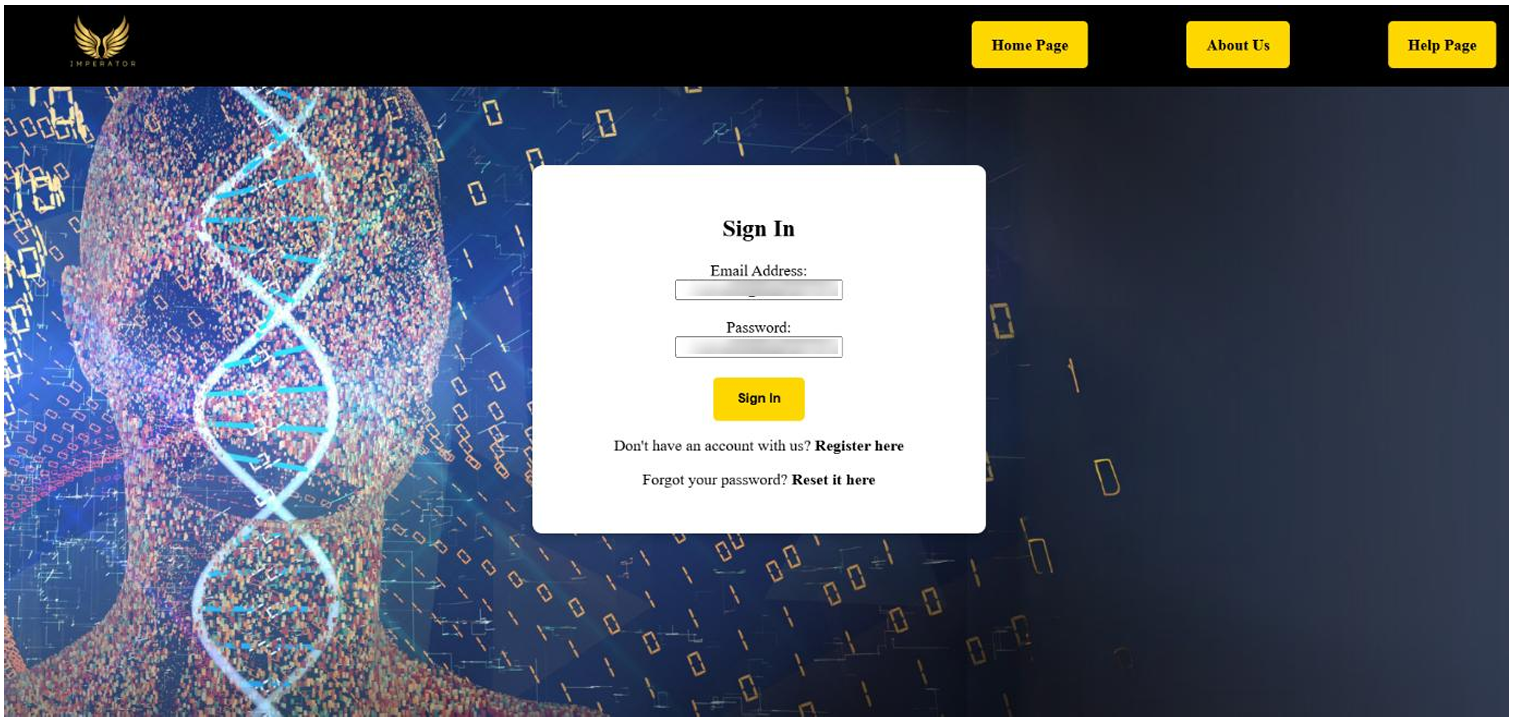
To create an account, click on the Sign In button on the banner and then select Register here when the page loads. This will take you to the registration page.
You will need to provide your name, email address and create your own password. Once you click Register, you will be redirected to the Sign In page.

Signing In
To sign in, enter your username and password into the provided fields.
If you have forgotten your password, click Reset it here. Enter your email address in the provided field and follow the instructions sent to your email to reset your password.
Your Dashboard
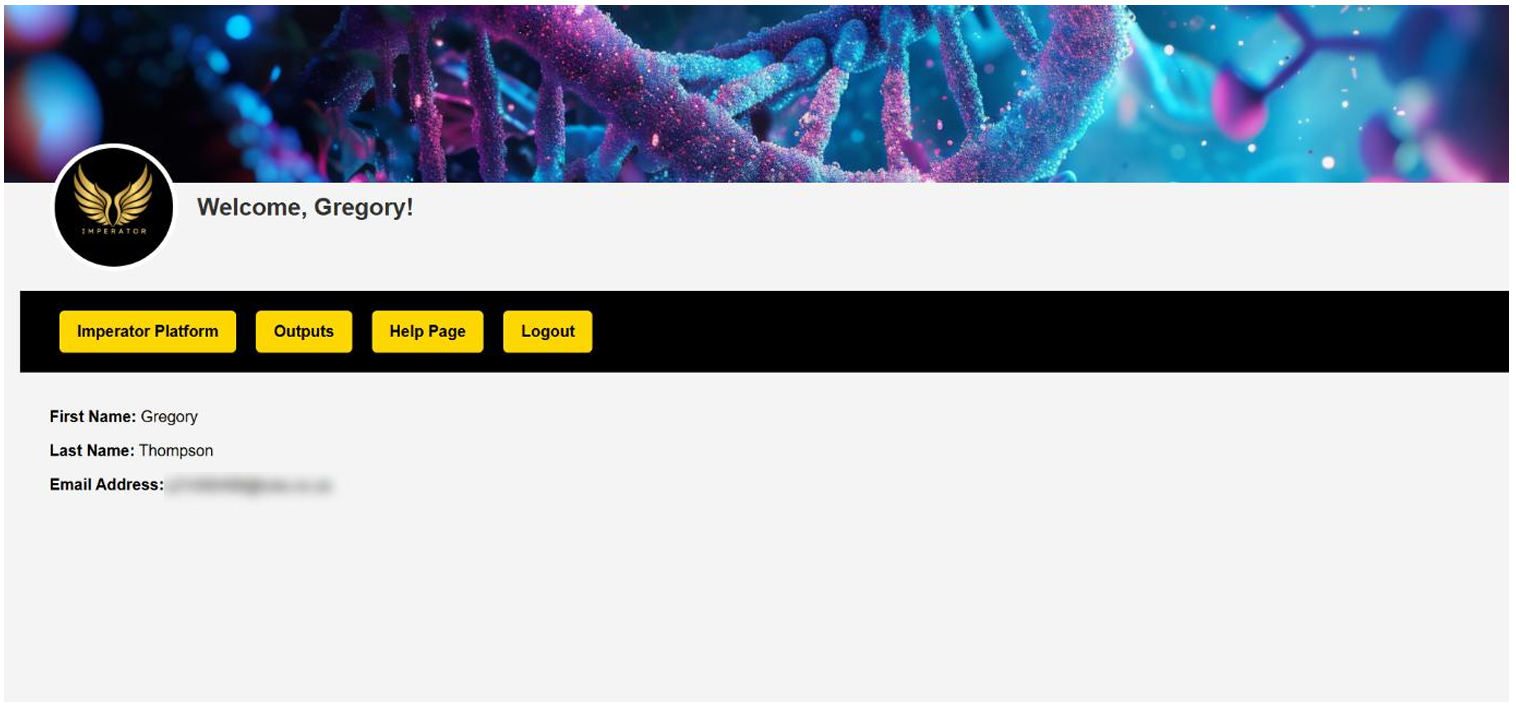
After signing in, you will be redirected to your dashboard. The dashboard contains your user information, a logout function and a Help page.
It also provides access to the Imperator Platform and Outputs pages. You will submit jobs through the Imperator Platform and view the status and download the results of your jobs through the Outputs page.
Submitting an Analysis
Imperator Platform
When entering the Imperator Platform, you will see a page similar to the example below.
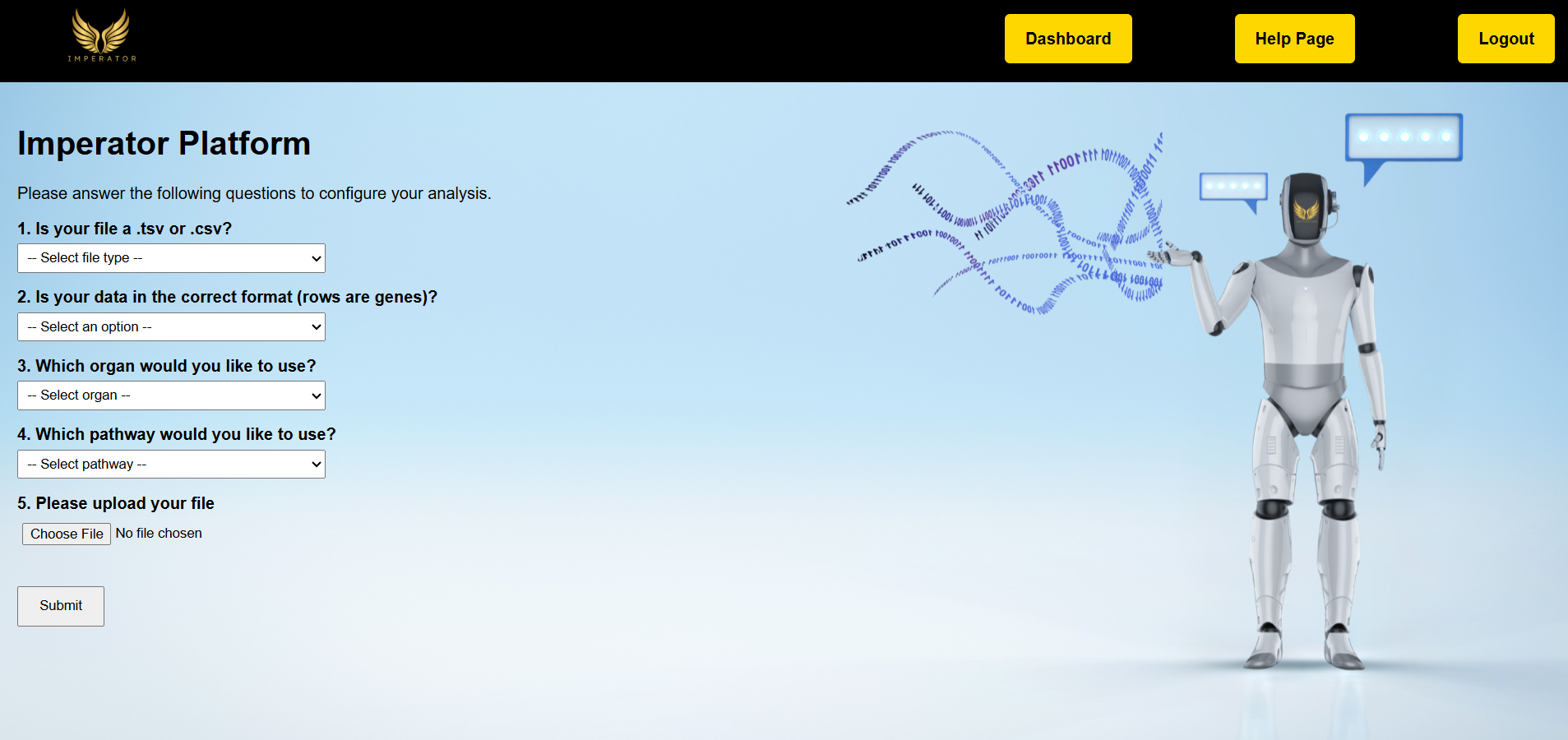
There are four questions that you will need to answer by selecting options from a dropdown menu. The answers you provide determine the parameters used for your submission. An explanation of each question is provided below.
Is your file a .tsv or .csv?
The pipelines generally require input files in CSV format. However, to make the process easier for users, Imperator also accepts TSV files.
If you select .tsv, Imperator will automatically convert the file to the required format before processing.
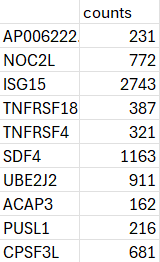
The image above shows an example of an acceptable counts matrix derived from the Imperator demo dataset.
Is your data in the correct format (rows are genes)?
Imperator requires the input matrix to have genes as rows and samples as columns.
If your data is not in this format, do not worry. Select No and Imperator will automatically transpose the matrix into the required format.
Which organ would you like to use?
Select the organ that your data represents. This allows Imperator to select the appropriate single-cell reference dataset for your analysis.
Currently, Imperator provides five human reference datasets:
- Adult liver
- Adult lung
- Hippocampus from individuals with Temporal Lobe Epilepsy
- Liver stem cells
- Demo reference dataset
Which pathway would you like to use?
This option allows you to select one of Imperator's two available pathways.
The scSemiProfiler-scType pathway is intended for adult human datasets. If you selected the liver, lung or hippocampus reference in the previous question, this is the pathway you should select.
The scSemiProfiler-Capybara pathway is intended for stem cell analysis. If you selected the liver stem cell reference, you should select this pathway.
Upload and Submit
Once you have answered all four questions, upload the relevant expression matrix and submit your job.
After submission, a message will indicate that the job was successfully submitted and you will be redirected to your dashboard.
From the dashboard, navigate to the Outputs page to view the processing status of your job and download the output files once processing has been completed.
How Imperator Works
Imperator combines several established bioinformatics tools into a single workflow. The overall process begins with a bulk RNA-seq counts matrix, which is used to reconstruct an inferred single-cell transcriptomic profile. The full, detailed workflow can be seen in the flow diagram below.
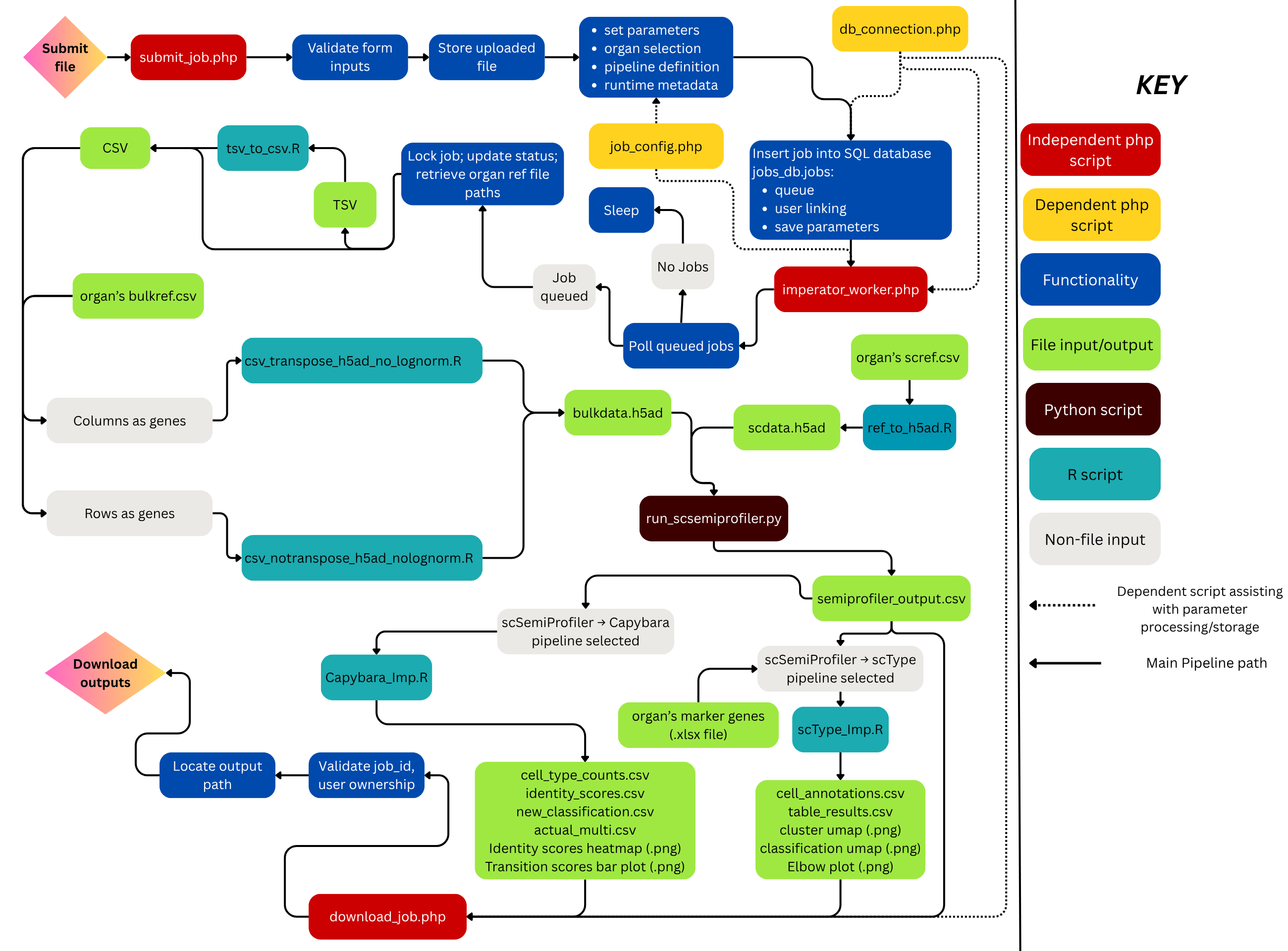
Please click on the workflow to zoom in.
Viewing Your Outputs
Job Status
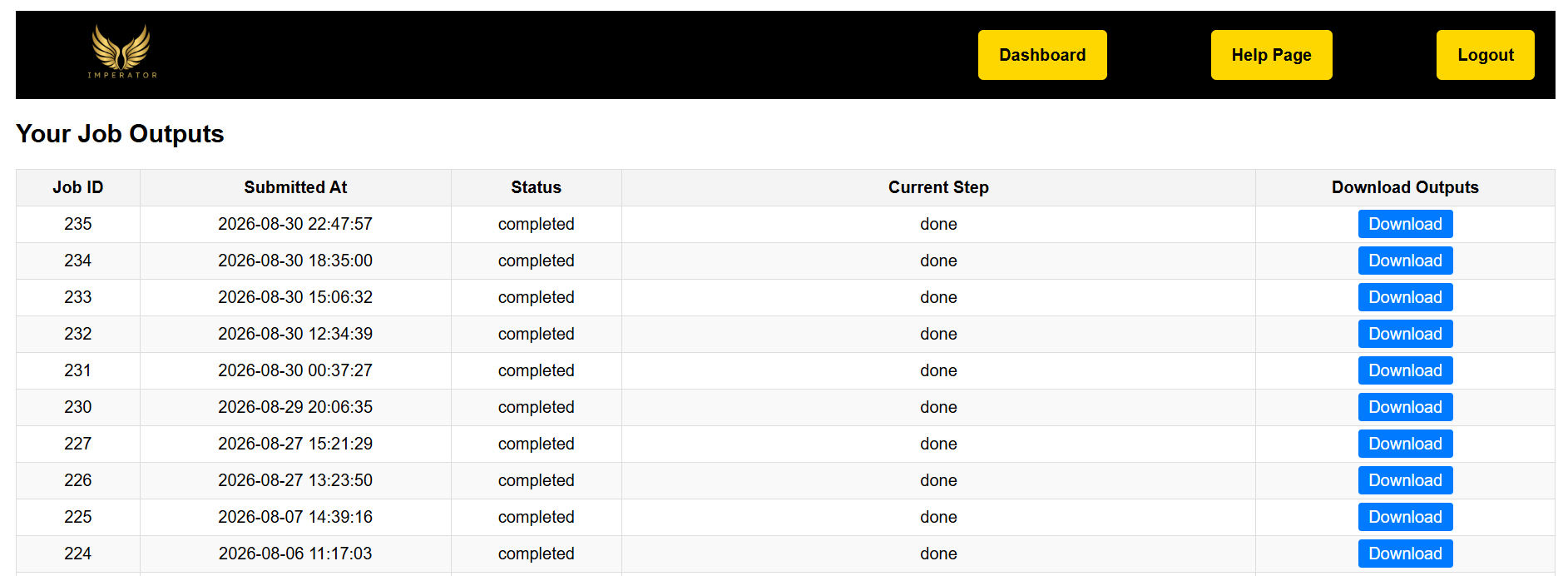
The Outputs page allows you to monitor the status of your submitted jobs.
Completed Analysis
Once processing has been completed, your job will be marked as complete and the output files will become available.
Downloading Results
Completed results can be downloaded from the Outputs page as a ZIP file.
Understanding Your Output Files
├── output.h5ad
├── log/
├── scSemiProfiler/
│ └── reconstructed_counts.csv
└── scType / Capybara/
Output H5AD
The output.h5ad file containing the merged bulk reference and bulk test used as an input by scSemiProfiler. This file was labelled bulkdata.h5ad in the workflow diagram above to present a clearer view within the pipeline(s).
Log Directory
Contains information recorded during processing of your analysis.
scSemiProfiler Directory
Contains the reconstructed counts matrix. Genes are represented as columns and cells as rows.
scType / Capybara Directory
Contains the results generated by the selected characterisation pathway.
scType Results
Cell-Type Classification
scType provides cell-type classifications for the cells reconstructed by scSemiProfiler. This is provided in two files. The cell_annotations.csv provided each reconstructed cell's assigned classification; the table_results.csv provides the frequency of each cell type across the entire recontructed dataset.
UMAP Visualisations
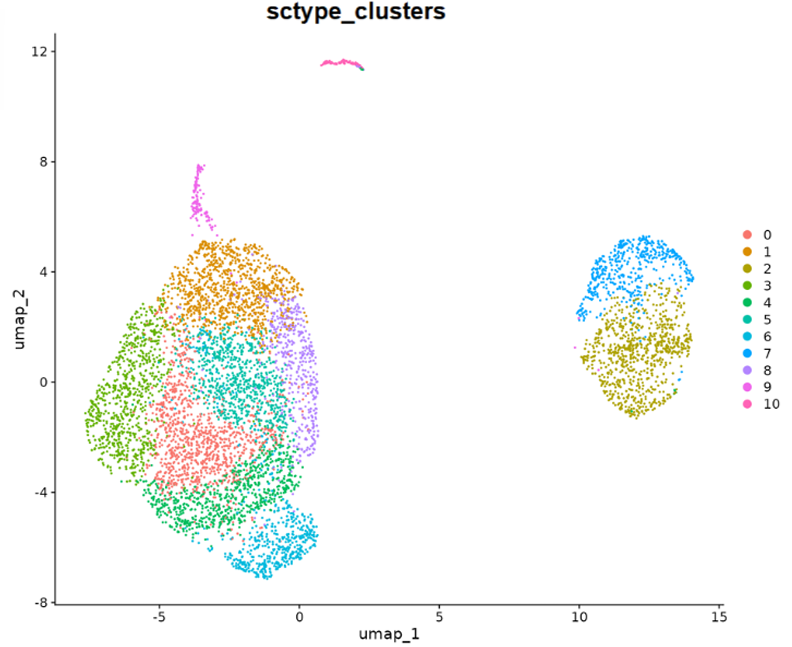
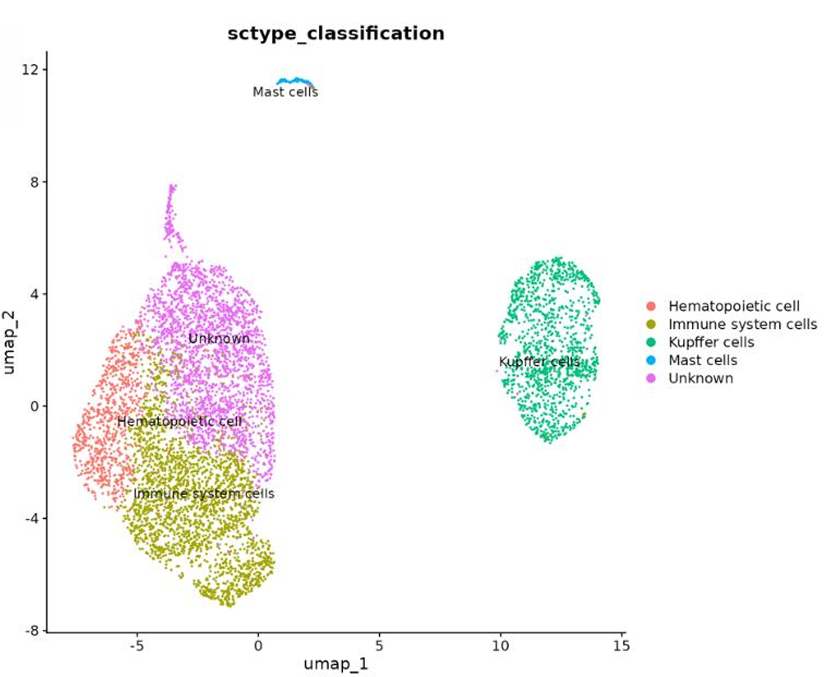
The UMAP visualisations provide a graphical representation of the reconstructed cells, their clusters and their inferred identities.
Capybara Results
Cell-Type Classification
Cell-type identities assigned to the reconstructed cells.
Identity Scores
Quantitative scores describing the identity of each reconstructed cell.
Multiple Identity Assignments
Identifies cells that show significant evidence of multiple cellular identities.
Transition Scores
Scores describing transitions between identities for cells represented in the multiple-identity results.
Visual Outputs
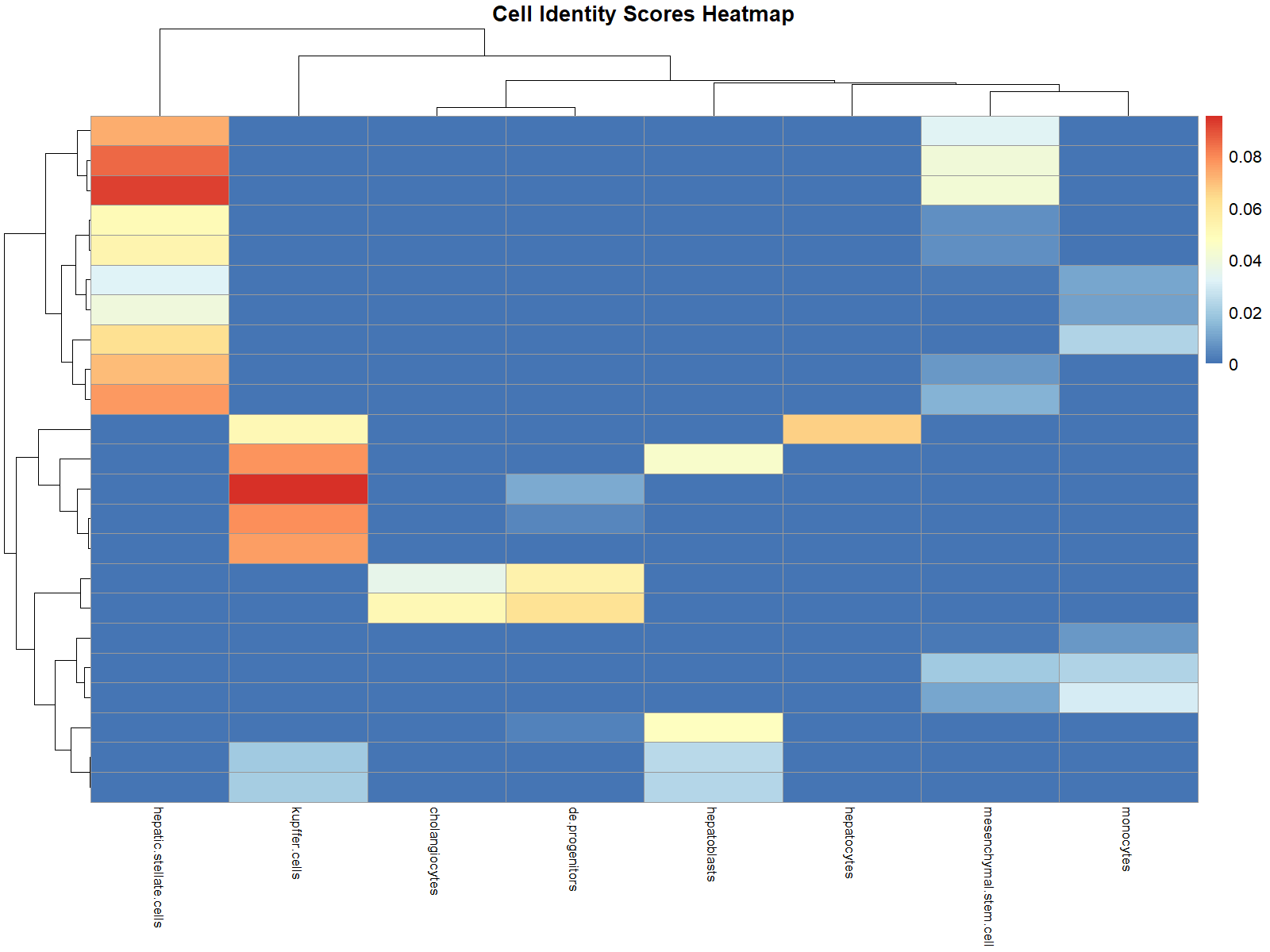
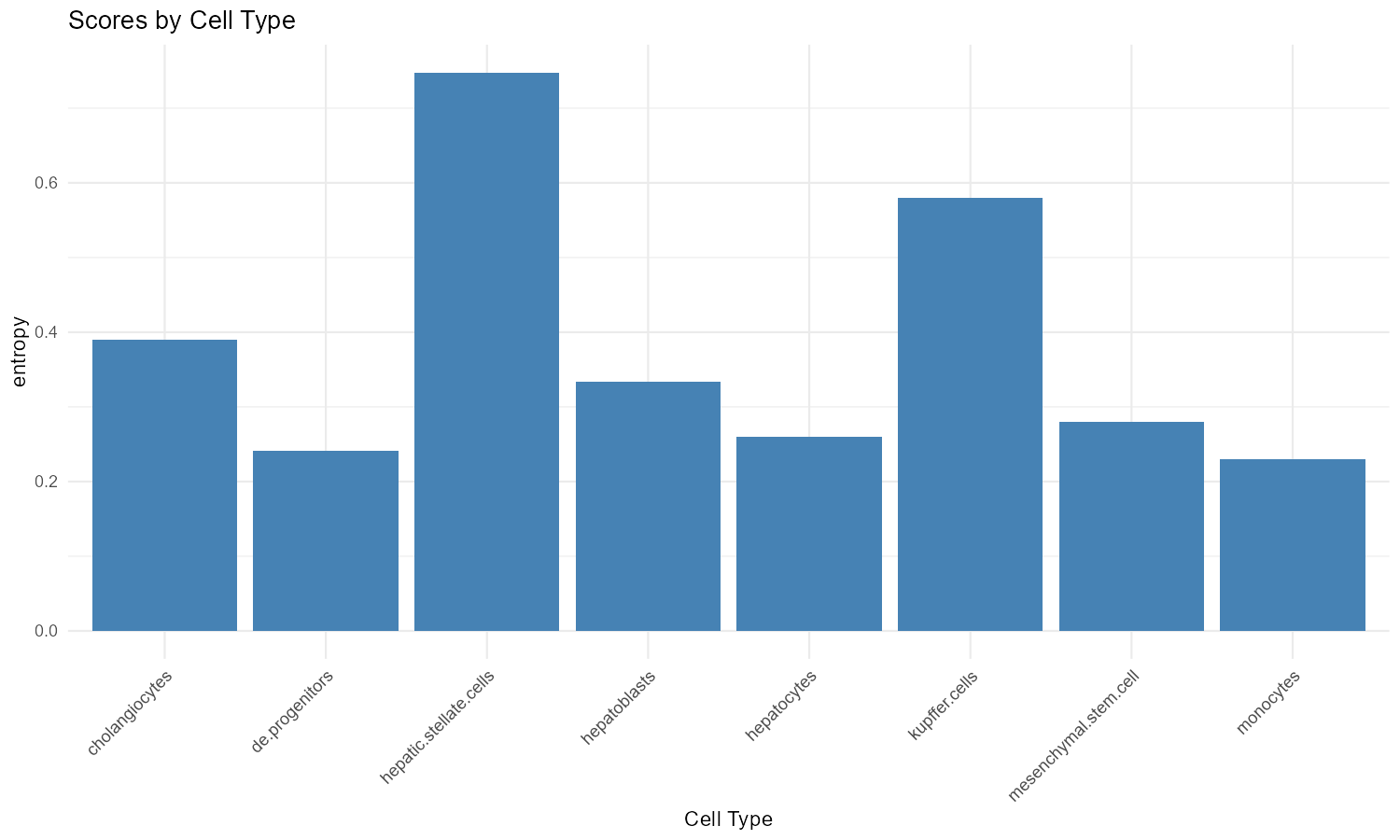
The heatmap (left) visually illustrates the the identity scores. The bar plot (right) visually illustrates the transition scores.
Frequently Asked Questions
What is Imperator?
Imperator is a web-based platform that uses bulk RNA-seq data to reconstruct an inferred single-cell transcriptomic profile and characterise the reconstructed cells.
What data can I upload?
You can upload a raw CSV or TSV file containing a single sample's bulk RNA-seq count matrix. The gene names should be HGNC-approved gene symbols. The genes can either be in the column or rows of the matrix. If the genes are in the columns, make sure to select No in Question 2 (Is your data in the correct format?).
What normalization is required?
None at all. The input data must be raw RNA counts (or counts equivalent if you used MMSEQ). Imperator handles all normalisation and transformation automatically.
Why do I need an account?
Imperator ties each job to a unique job number and a specific user number. This ensures that only you have access to your jobs and outputs.
How long does an analysis take?
Generally between 3 - 6 hours.
Where can I find my results?
Once signed in, go to your Outputs page to download the results from the relevant job, once it has completed.
What do I get when I download the demo dataset?
You will get two things. Firstly, you will get the actual demo dataset (demo_data.csv) to test Imperator for yourself. This dataset contains a bulk sample with the correct HGNC-approved gene symbols as the rows. Thus, when you access the platform, you will select .csv for Question 1, Yes for Question 2, the Demo (Liver) for Question 3 and then the scSemiProfiler -> scType for Question 4. Do not forget to upload the demo_data.csv before submitting!
Secondly, in the demo_example folder, you will find an example output from running the demo. Please note that, as Imperator uses machine learning from scSemiProfiler, your output may not be completely identical.
Try the Imperator Demo Dataset
Download Demo Dataset